Codex released "Prevent sleep while running" under /experimental features
I previously used `caffeinate` to keep my Mac awake during Codex sessions. Codex now has an experimental “Prevent sleep while running” toggle you can enable directly from the terminal.


In my earlier post, I talked about how you can use mac laptop's in-built 'caffeinate' command to keep Claude Code and Codex sessions active.
You don't need this anymore in codex. This feature is introduced as part of experimental features. You can just toggle it.
Enabling is quite simple, just follow the below steps:
- Launch Codex in your terminal.
- Type
/experimentaland press enter. You see a screen like below. - Use
Arrows to navigateandspace bar to togglethe feature.
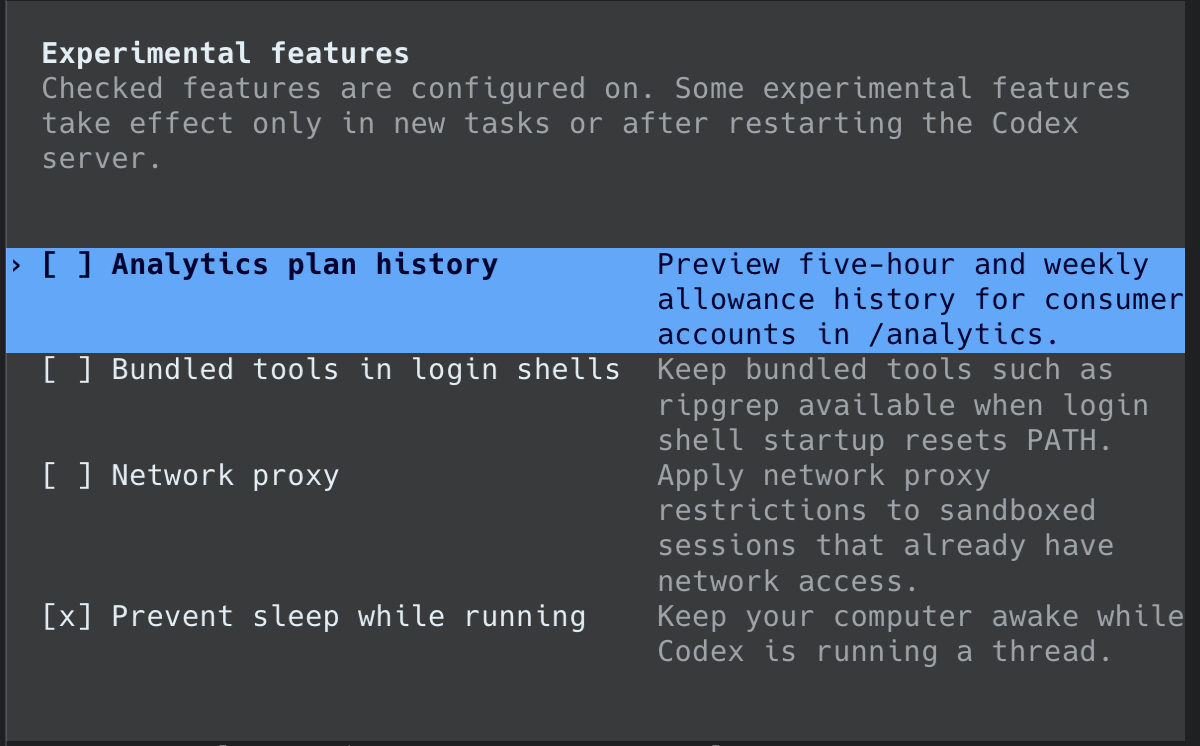
If you set it once, I think it should be good enough for the toggle to be active across all sessions (unless of-course they choose to neglect it during an update).